Work in the background
A Dot can keep making progress while you are in another meeting, app or conversation.
TEMRIK authority guide
OpenAI Dots bring persistent agents into ChatGPT. This guide explains what that means and where TEMRIK fits: personal and project context, human decisions, evidence and a durable record.
TEMRIK is independent from OpenAI. This page does not claim that a live TEMRIK connector is enabled in Dots.
Your Dot
Always within reach
TEMRIK hand-off
Context, destination and approval state are visible before the work moves.
01 · What are OpenAI Dots?
OpenAI describes Dots as persistent agents that can work toward goals, use a cloud computer and browser, connect to apps, learn from feedback and return with progress or a decision. The shift is from asking one question to giving an agent a piece of work and a standard to work toward.
A Dot can keep making progress while you are in another meeting, app or conversation.
Dots can use their own browser and computer environment for repeatable research and task work.
Connected apps give a Dot the information and tools needed to work where your work already happens.
You can inspect progress, change rules and review decisions instead of losing the thread in a chat.
02 · How Dots work
A Dot can be reached through ChatGPT on desktop, web and mobile. You can give it instructions, connect the apps it needs, inspect its activity and decide which actions need approval. The interface is conversational; the work itself may span research, files, messages, code or a long-running project.
The official OpenAI announcement and setup guide are the source for current availability, capabilities and plan limits.
03 · Where TEMRIK fits
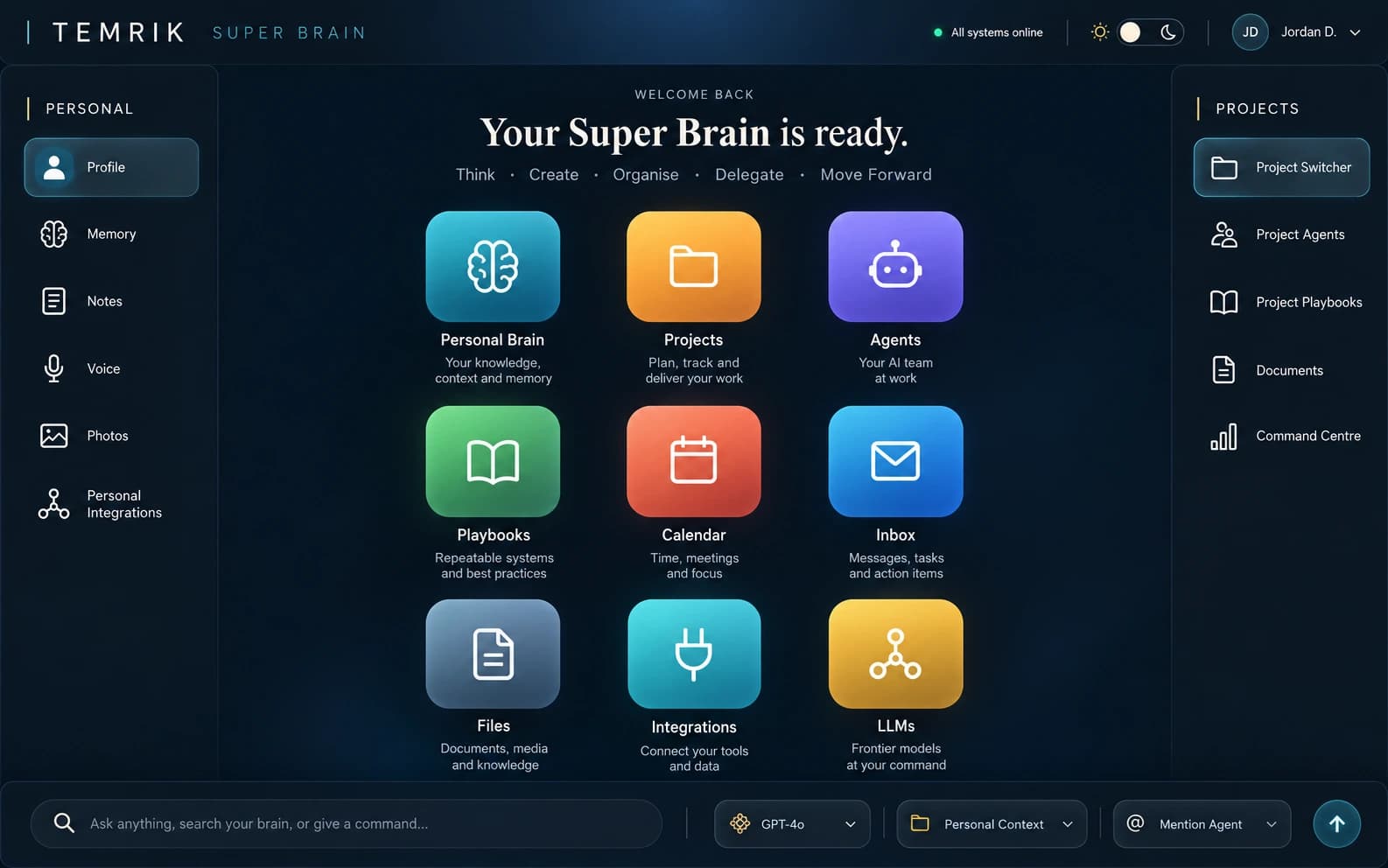
TEMRIK is designed for the layer around an agent: where a result belongs, who can see it, what it may change, what evidence supports it and whether a person needs to approve the next step.
Personal Brain
Private notes, files, messages, voice records, commitments and preferences remain in an individual space.
Project Brain
Each project has its own files, sources, agents, playbooks, tasks and decisions.
Human Control
Important work becomes a proposal with a destination, purpose and approval state before it changes a record or reaches an external system.
Receipts
The useful history is preserved: what was asked, which context was used, what evidence supported it and who approved the outcome.
04 · Dots with a Super Brain
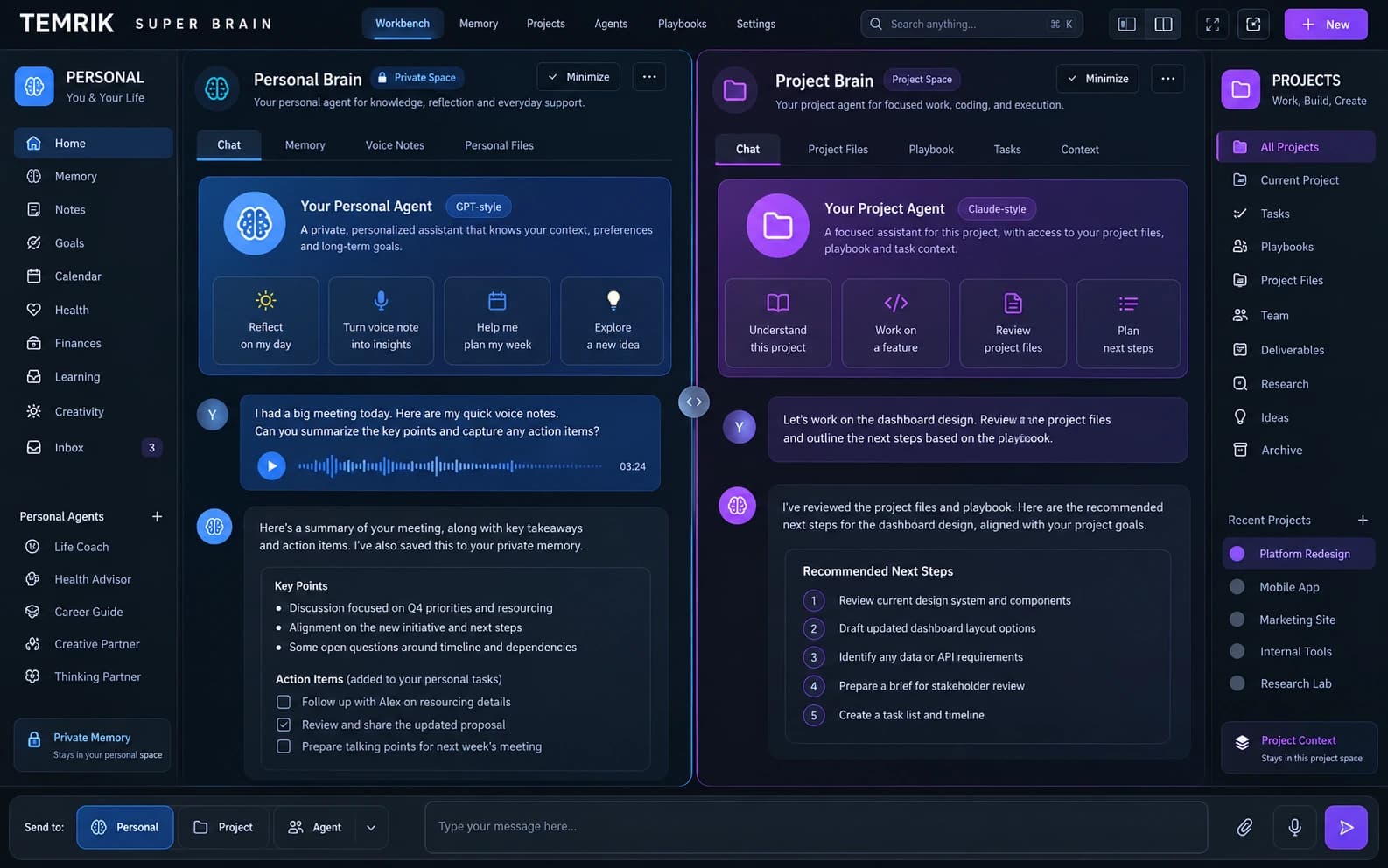
The opportunity is not to replace ChatGPT. It is to give the work around an agent a home: memory, project context, playbooks, evidence, hand-offs and human judgement.
Your Dot can turn a conversation into a brief or next-step draft. TEMRIK can put it in the selected Brain and show what needs review.
A personal voice note can become a task, stay private or be promoted to a project only through an explicit hand-off.
A project Dot can work with a playbook and project files while TEMRIK keeps the project boundary and authority visible.
A recommendation can retain its source references, review status and final decision instead of disappearing in a thread.
05 · Human control
Dots can prepare, monitor and suggest. TEMRIK adds a clear destination and a controlled hand-off. A personal record is not a project record. A draft is not an approval. A recommendation is not an external action.
The TEMRIK rule
If work affects a person, project, account or promise, the person can see and control the hand-off.
06 · Frequently asked questions
Dots are persistent agents in ChatGPT designed to work on tasks, use connected apps, learn from feedback and return with progress or decisions that need you.
No. TEMRIK is an independent platform and this page is an explainer and integration direction. A live TEMRIK Dots connector is not claimed here.
TEMRIK is designed to separate Personal Brain and Project Brain context, keep authority explicit, prepare human-reviewable hand-offs and retain useful receipts.
That depends on the connected app, rules and permissions. TEMRIK's design keeps consequential work as a visible proposal until an authorised person approves it.
Continue exploring